Spending hours on job boards
Instead of focusing on your professional growth, you get lost in tabs, listings, and repetitive applications.
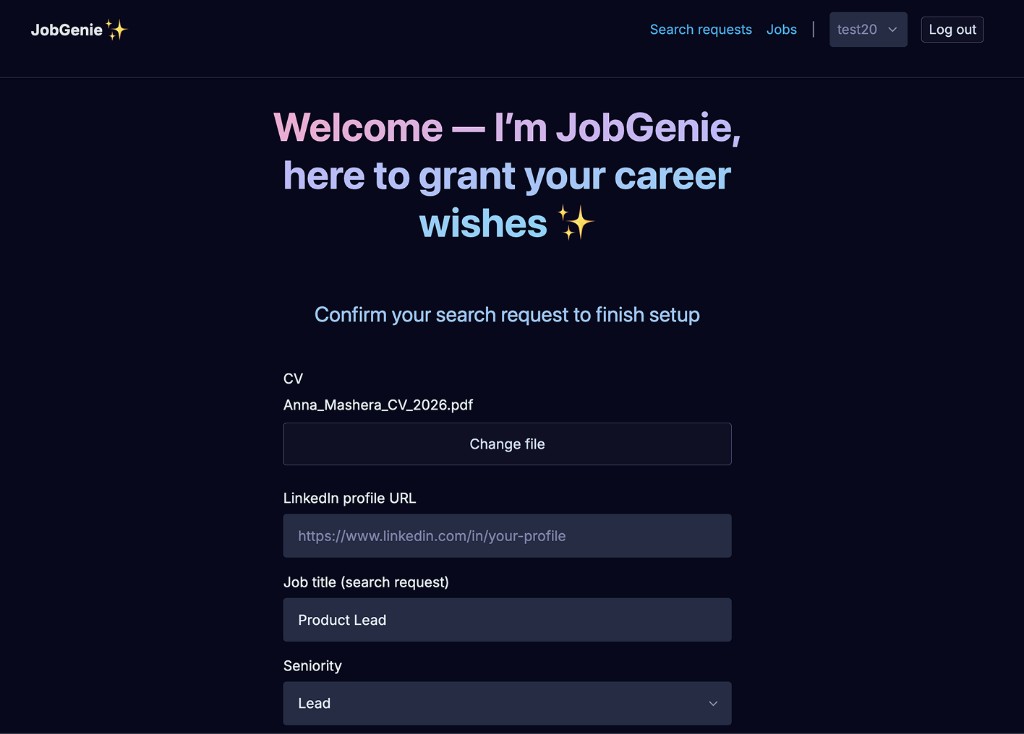
JobGenie finds the roles that fit, writes applications tailored to each one, and applies on your behalf — hours of repetitive work, gone!
Desktop app for Windows & macOS · Web dashboard · Your credentials stay local
Supported sources
LinkedIn supported now · Telegram job channels coming soon · More sources rolling out · Custom integrations on request
The problem
The process has become repetitive, overwhelming, and nearly impossible to keep up with alone.
Instead of focusing on your professional growth, you get lost in tabs, listings, and repetitive applications.
Rejections, ghosting, and silence from recruiters make job searching emotionally exhausting.
Great opportunities disappear before you even notice them.
Applying, interviewing, and completing test tasks after an exhausting workday is simply unsustainable.
With no time or energy to apply consistently, it becomes easier to settle than to keep trying.
The shift
AI has transformed recruiting, but candidates are still stuck doing everything manually.
Stop wasting time on repetitive applications. JobGenie monitors job boards, drafts applications, and applies — while you stay in control.
How it works
Connect your job boards. Review matching opportunities and pre-filled applications. Let JobGenie handle the rest.
Upload your CV and JobGenie automatically builds your profile and personalized job searches.
No card required
The app runs locally on your computer — the safest way to monitor job boards while keeping your credentials private.
Windows and macOS
Connect LinkedIn and other platforms once. JobGenie tracks new opportunities and removes duplicate listings.
LinkedIn supported now
Review matched jobs and pre-filled applications from your dashboard or Telegram chatbot, wherever you are.
Approve drafts via Telegram bot
Approve the jobs you like and JobGenie automatically submits tailored applications on your behalf.
Save hours every week
Security-first architecture
JobGenie runs across your desktop app, web dashboard, and Telegram bot — each handling a different part of your job search without compromising account safety.
Local collection layer designed for maximum security
Your control center for jobs and applications
On-the-go job review and approvals
The outcome
The hard part shouldn’t be getting in the door — it should be choosing where you want to be.
Let JobGenie handle the search and the busywork, so you can spend your energy on conversations that move your career forward.
The product
Not another job board. Not a resume builder. A real AI agent working on your behalf.
Create separate AI-powered search profiles for different roles, industries, seniority levels, or career paths.
Opportunities are ranked against your preferences — role, salary, remote policy, and more — so you focus only on relevant matches.
Generate personalized application drafts, form responses, and cover letters for every vacancy.
JobGenie validates ATS compatibility, spelling, and keyword coverage before applying.
Get application performance reports, track interview rates, and measure application funnel conversion to see what actually works.
Review applications before submission, or let JobGenie handle the entire process on autopilot.
Pricing
Get the full JobGenie toolkit at no cost while we’re in early access — no credit card, no trial limits.
Early access
Free
Completely free during early access
Paid plans may come later — we'll announce them here first.
Get started
No need to wait — your next great job might already be closer than you think. Just one wish away.
Just upload your CV and let JobGenie do the rest of the magic.
Good to know
Find answers to common questions about how JobGenie works.
JobGenie is built to work across multiple job boards and application sites. LinkedIn is available today; additional sources are added over time. Your dashboard shows vacancies from every source you connect.
Job-board sessions and browser automation must run on your computer. The tray app collects vacancies in the background; the dashboard is where you review them.
JobGenie automates tasks you would do manually. Like any automation, aggressive use can trigger rate limits on a given site. JobGenie backs off and surfaces status when attention is needed.
When you approve an application, JobGenie submits your tailored answers to the original job site on your behalf. The desktop app handles submission using your local session, so your logins stay on your machine. Review and edit drafts anytime before you approve.
Yes. Create multiple search profiles — for different titles, seniority levels, or cities — and manage them from the dashboard.
JobGenie ships installers for Windows and macOS. The web dashboard works in any modern browser.
Still have questions? Reach out on LinkedIn or email us at hello@jobgenie.bot.